
Skill up. Stand out.
We’re offering attendees an exclusive discount on Workday Pro certification and recertification exams at Workday Rising. Gain an edge in your career, show off your expertise, and stand out with an industry-recognized certification—all for just $99.
In Person • October 12–15, 2026
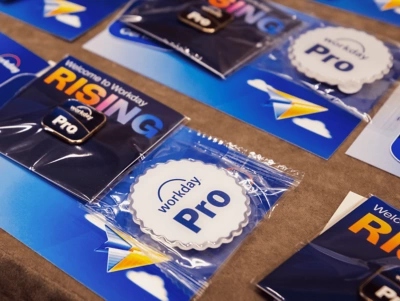
The ultimate career flex.
Discounted Workday Pro certification exams are exclusively available for in-person Full Experience Pass and Partner Experience Pass holders. Choose from 30 proctored exams during dedicated time slots throughout the conference.

“My favorite part of being a Workday Pro is being part of an elite group dedicated to continually improving their knowledge. If there’s a way to fix a problem, we will find it.”
—Lead Workday Business Analyst, Washington State University
Prepare for bragging rights.
Take a Workday Pro exam that fits your area of expertise.
- Workday Pro Adaptive Planning Certification
- Workday Pro Platform Administrator Certification
- Workday Pro Security Certification
- Workday Pro Grants Management Certification
- Workday Pro Contracts to Cash Certification
- Workday Pro Procure to Pay Certification
- Workday Pro Record to Report Certification
- Workday Pro Advanced Compensation Certification
- Workday Pro Benefits Certification
- Workday Pro Compensation Certification
- Workday Pro HCM Core Certification
- Workday Pro Learning Certification
- Workday Pro Recruiting Certification
- Workday Pro Talent and Performance Certification
- Workday Pro Extend Certification
- Workday Pro Orchestrate Developer Certification
- Workday Pro Absence Certification
- Workday Pro Australia Payroll Certification
- Workday Pro Canada Payroll Certification
- Workday Pro France Payroll Certification
- Workday Pro U.S. Payroll Certification
- Workday Pro Time Tracking Certification
- Workday Pro HCM Reporting Certification
- Workday Pro Financials Reporting Certification
- Workday Pro Prism Analytics Certification
- Workday Pro Student Financial Aid Certification
- Workday Pro Student Financials Certification
- Workday Pro Student Records and Advising Certification
- Workday Pro Student Recruiting and Admissions Certification
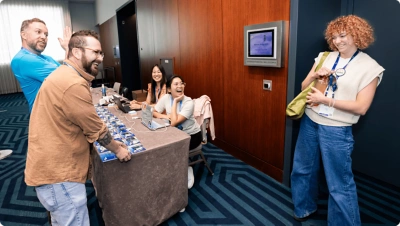
Workday Pro Exams FAQs.
Workday Pro is a certification program designed for professionals to build and validate expertise in Workday.
The benefits of becoming certified while at Workday Rising include:
- Convenience: Knock out your certification while you're already at the conference.
- Cost savings: Take advantage of the exclusive Workday Rising discount.
- Momentum: Ride the wave of learning and become certified while immersed in the Workday Rising environment.
- Bragging rights: Show off your new certification to your peers and colleagues.
Attendees can take Workday Pro certification exams at Workday Rising for a special price of $99 USD.
Exams purchased outside of the conference cost 1 Training Credit ($800 USD) per attempt.
No. Workday Pro Exam fee waivers cannot be applied to exams delivered at Workday Rising.
Workday Pro certifications are only available to Workday customers and Workday partners attending Workday Rising in person.
Yes. Recertifications are available at Workday Rising. Check with your Training Coordinator if you aren’t sure which active certifications you hold. For more information on recertification, refer to the Workday Community.
Yes. You can take one unique exam per day. Retaking the same title is not permitted.
There is a mandatory 4-day wait period after your most recent exam attempt before you can re-enroll in the Workday Learning Center for an additional attempt. This will apply to exams taken at Workday Rising. This 4-day wait period will start from the completion date and time indicated on your Transcript in Workday, which will reflect the date and time of your proctored session at Workday Rising.
Workday Pro Absence Certification Exam
Workday Pro Adaptive Planning Certification Exam
Workday Pro Advanced Compensation Certification Exam
Workday Pro Australia Payroll Certification Exam
Workday Pro Benefits Certification Exam
Workday Pro Canada Payroll Certification Exam
Workday Pro Compensation Certification Exam
Workday Pro Contracts to Cash Certification Exam
Workday Pro Financial Reporting Certification Exam
Workday Pro France Payroll Certification Exam
Workday Pro Grants Management Certification Exam
Workday Pro HCM Core Certification Exam
Workday Pro HCM Reporting Certification Exam
Workday Pro Learning Certification Exam
Workday Pro Workday Orchestrate Developer Certification Exam
Workday Pro Platform Administrator Certification Exam
Workday Pro Prism Analytics Certification Exam
Workday Pro Procure to Pay Certification Exam
Workday Pro Record to Report Certification Exam
Workday Pro Recruiting Certification Exam
Workday Pro Security Certification Exam
Workday Pro Student Financial Aid Certification Exam
Workday Pro Student Financials Certification Exam
Workday Pro Student Records and Advising Certification Exam
Workday Pro Student Recruiting and Admissions Certification Exam
Workday Pro Talent and Performance Certification Exam
Workday Pro Time Tracking Certification Exam
Workday Pro U.K. Payroll Certification Exam
Workday Pro U.S. Payroll Certification Exam
Workday Pro Workday Extend Certification Exam
The Workday Pro HCM Certification Exam and Workday Pro Record to Report Certification Exam are available in German (DE), Spanish (ES), French (FR), and Japanese (JP).
The Workday Pro Platform Administrator Certification Exam is available in German (DE), Spanish (ES), French (FR), Japanese (JP), and Arabic (AR).
We have free Workday Pro Exam Guides for each Workday Pro certification that outline the topics and tasks you may be tested on.
While training is not required to become certified, each Workday Pro certification includes recommended coursework to help you prepare for the exam. If you need to brush up on a course you’ve previously completed, you might consider taking Refresher Training.
- There is no advance training or prep included in this offering. Attendees must arrive on time, prepared, and ready for the exam. No late entry will be permitted.
- All certifications applicable to both customers and partners will be available at the conference. Any certification restricted to one audience will not be offered. The full list is available while registering.
- There are no retests on-site if an attendee does not pass an exam.
- Please arrive 15 minutes before your scheduled exam, prepared and ready. Late entry is not permitted.
- On-site retests are not available. Candidates must observe a mandatory 4-day waiting period after an attempt before they are eligible to re-enroll
- Once the exam has officially begun, you are required to remain in the room until you have completed the exam.
Exam accommodations at Workday Workday Rising can be requested by working with your training coordinator as described on our Training Accessibility Accommodations page on Workday Community.
Some accommodations may be best supported outside of the in-person environment, as testing will be hosted in an open classroom.
If you require exam extension accommodations, please work with your training coordinator to log a case.
NOTE: Extension accommodations will only be available for the 9 AM to 12 PM exam session.
During the check-in process, you will be asked to present a government-issued photo ID before entry into the testing room. Although required for building and testing room entry, event badges will not be considered sufficient for proof of identification.
An active Workday Learning Center account is required to take the exam. If you don’t have an account, work with your Training Coordinator to have a free account created by October 8, 2026.
To access the exam on the day of your registered session(s), you must sign into the Workday Community, which requires multi-factor authentication. You should plan to bring your MFA device on the day of your exam. This device must be stored away after successfully logging in.
Laptops will be provided on-site for you to take the exam.
Once the exam has officially begun, you are required to remain in the room until you have completed the exam.
No. There are no retests on-site if you do not pass an exam. Candidates must observe a mandatory 4-day waiting period after an attempt before they are eligible to re-enroll. Please note that any additional exam attempts after Workday Rising will follow the standard process and pricing.
For Workday to issue you an exam, you need an active Workday Learning Center account. During your proctoring session, you will sign in to the Workday Learning Center to launch the exam.
You can quickly confirm your account status by visiting the Workday Community, navigating to the Site Menu in the upper right corner, and checking if you have the Workday Learning Center listed. If you don’t have an account, work with your Training Coordinator to have a free account created by October 8, 2026.
If you are unable to attend the exam, you may reschedule or substitute your time slot with a colleague from the same organization at no additional cost by October 6, 2026. You may also cancel with no refund.
To reschedule, please visit the Workday Pro section on the My Event page in the Attendee Portal and select a new exam time.
To substitute your time slot with a colleague, please email risingregistration@workday.events with your request and provide the names and email addresses of both the original and substitute registrants before or on October 6, 2026. No additional fees will be charged for substitutions.
Substitutions will not be allowed after October 6, 2026.
To cancel, please email risingregistration@workday.events.
Please arrive 15 minutes before the start of the exam. To prevent disruption and ensure all candidates have their full allotted time, late entry is not permitted. Late arrivals should proceed immediately to the check-in desk to discuss potential rescheduling, subject to availability.
Walk-ups will be accommodated as space allows. If you are attempting to register for an exam during the event, visit the Workday Pro check-in desk to explore options.
For the best experience, we recommend signing up in advance, as on-site additions may not be possible.
Registration closes on October 6, 2026. Walk-ups will be accommodated as space allows. If you are attempting to enroll in an exam during the event, please plan to arrive at least 15 minutes before the exam start time.
Your status will be updated in the Workday Learning Center within one business day. Enrollment in the exam and certification program is automatic; please refrain from self-enrolling, as manual entries will delay the finalization of your certification.
Yes. All Workday Pro certifications require passing the relevant proctored exam.
Individuals must pass a proctored exam every two (2) years to maintain an active certification. Course completion isn’t required for recertification.
Workday Pros must complete a recertification exam every two (2) years to maintain their certified status. Course completion isn’t required for recertification.

Get ready
to rise.